
Download and Install in 10 Minutes
Files are available for download only to members with active access. Free trial users can download immediately.
MindCore Pro for MT4
.ex4 file, Pro V 1.40 — Pro plan members only · requires an account with 1:1000 leverage or higher
DownloadNot on the Pro plan yet?
Running the Pro file on a Standard key means the EA receives no signals and will not trade — upgrade on the pricing page.
See Pro plansIn live trading the EA receives commands from the MindCore system over the internet. Strategy Tester has no internet, so the EA needs the backtest command file instead — without it the EA opens no trades at all · The file is encrypted with your own key (works with both 1.30 and Pro) · The file covers up to the latest week (updated every Monday) · From 19 Sep 2026 on it holds the real commands the system sent to customers · On MT5 set Modelling to 1 minute OHLC · We recommend unticking Visual mode
Download command file (MindCore_commands.enc) Step-by-step guide →In MT4/MT5 go to Tools → Options → Expert Advisors, tick Allow WebRequest for listed URL and add
https://munsdeetrader.com
If you forget, the Experts tab shows feed: ... code=-1 err=4060 and no trades are opened · full fix here
Not sure whether your broker works, or which account type to open? → See the broker & account table
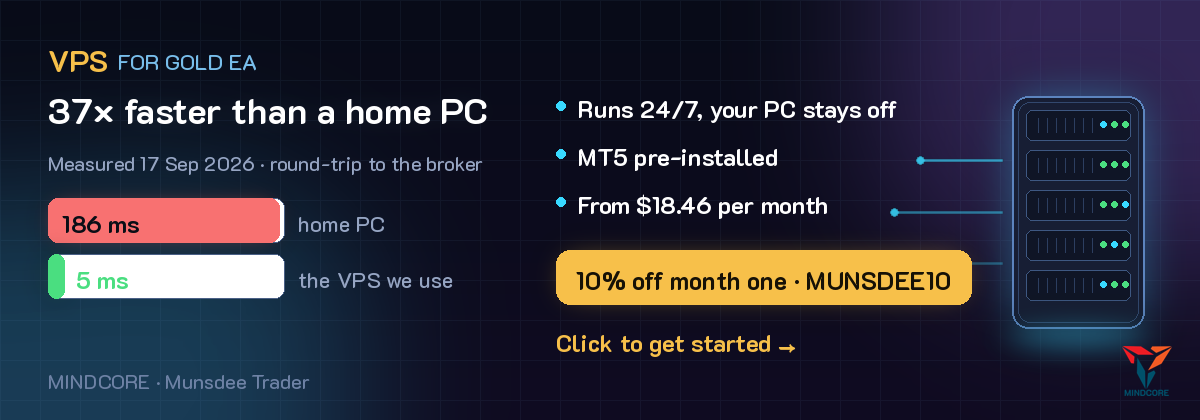
The EA has to stay on 24/7 to see every bar close · why we point you here (affiliate link — same price for you, 10% off the first month)
Nothing to configure
Every setting is already built into the EA. No preset files to download, no numbers to type — drop it on the chart, enter your key, and it runs.
Recommended minimum account size: USD 500.
Installation Steps
Place files in the Experts folder
In MT4 or MT5, click File, then Open Data Folder, navigate to MQL4 (or MQL5), then Experts. Place the downloaded files there. Right-click on Expert Advisors in Navigator and click Refresh.
Allow EA to connect to the server
Go to Tools, then Options, then Expert Advisors. Tick Allow WebRequest and add https://munsdeetrader.com. If you skip this step, the EA will display a message indicating it cannot verify your license.
Drag EA onto the gold chart, H1 timeframe
Use your broker's gold symbol (XAUUSD or XAUUSDm or GOLD) on the 1-hour timeframe only. Enter your license key from the member page into the License key field and enable AutoTrading.
Check the message in the top left corner of the chart
You should see MINDCORE with the status "Ready to open trade" or the reason for temporary pause. The bottom line shows the current spread, the broker's normal value, and the ceiling.
Run VPS 24 hours a day
The system needs to see every candle close to open trades according to the rules. Turning off your computer risks missing exit points. We recommend a VPS from your broker or a general provider for a few hundred THB per month.
Choose a Broker and Account Type
Spread is the biggest cost. Every $1 of average spread consumes about 11% of profit. Choose an account with low gold spreads.
| Account Type | Typical Gold Spread | Impact on Profit (vs. $0.30) | Suitable? |
|---|---|---|---|
| Raw / Zero / ECN plus commission | 0.10 to 0.30$ | 0 to -2% | Most suitable |
| Pro / Standard Low Spread | 0.50 to 1.00$ | -2 to -8% | Acceptable |
| Standard / Cent General | 1.50 to 3.50$ | -13 to -35% | Not recommended |
All backtest results use Exness data, UTC server time. Other brokers will yield similar but not identical results because daily candles start at different hours.
Questions in English are welcome
We are based in Thailand, so our team is not online around the clock. What we do commit to is a reply to every email within 24 hours, including weekends.
Email — answered within 24 hours
[email protected]
Include your licence key and account number and we can check the server records directly.
LINE — faster, if you already use it
@353gcflr
Common in Thailand and Japan. If you do not use LINE, email is the right channel.